Table of Contents
How to Clean Your Laser Projector
Laser Projector Inspection, Cleaning, and Maintenance Schedule
Our recommended system for making sure your laser projectors remain in top condition is scheduling a series of maintenance checks. These checks range from simple tasks that should be repeated often to longer projects that can be performed as needed.
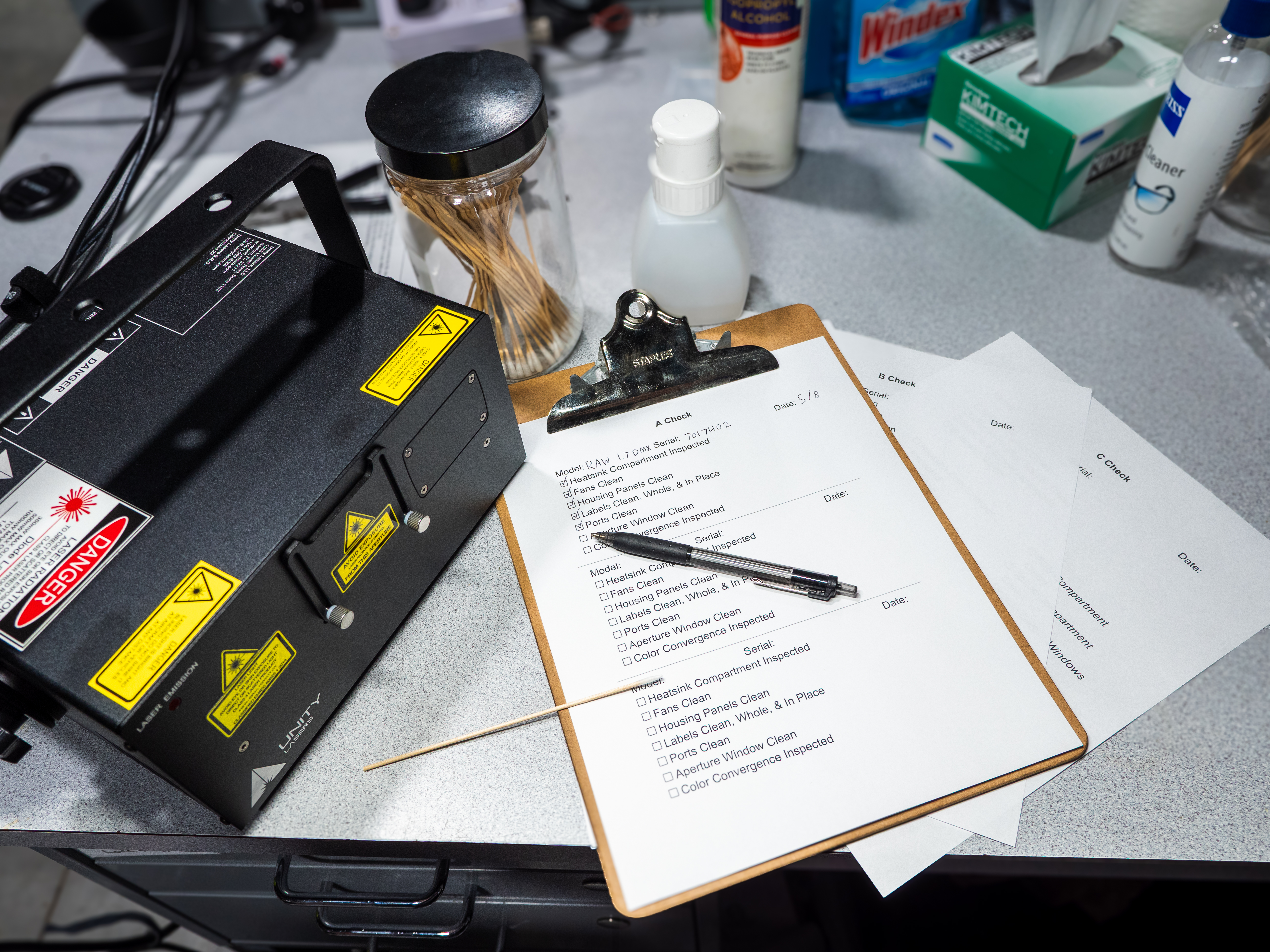
For our purposes, we have designated four Checks, following a similar system used in aviation. (Since lasers and aviation have historically worked so well together, we decided this would be appropriate.) Each Check includes the steps of the one before it.
- A Check: Most frequent, clean and inspect the most vulnerable parts of the laser (exterior)
- B Check: Less frequent, clean and inspect the interior compartments of the laser, ensure longevity, inspect safety systems
- C Check: Rarely, clean and inspect all parts of the laser
- D Check: Only if required, repairs or retrofits for continued use
The most important step is building a schedule that meets your specific needs. Your needs can vary based on things like projector runtime, show environment, and transportation requirements. Below are some examples of schedules for different applications.
Examples of Schedules
Once-A-Year Highschool Halloween: B Check before the show, A Check after. C Check if module misalignment is noticed.
Wedding DJ: A Check before shows, B Check every 3-6 months, C Check Yearly
Smoking-Allowed 24 Hour Strip Club: A Check weekly, B Check monthly, C Check every 6 months
Burning Man: B Check Before, A Check Daily During, C Check After
Indoor Art Installation: A Check Monthly, B Check 3-6 Months, C Yearly
Touring Production: C Check before tour, A Check as possible during in/out, B Check backup units and swap as needed
Rental House: A Check before sending it out, B Check when it comes back, C Check every 6-12 months.
General Cleaning Guidelines
Optics
Ideally, lasers pass through glass and bounce off mirrors without producing any unintended reflections/refractions. If you notice excess lighting coming from, for example, your aperture window, that will most likely be dust settled on the window. This reduces the power output of your projector and can be a hazard if the optic is dirty enough that it absorbs the energy and overheats.
When cleaning optics, you may turn the laser on low power (as low as it will go while still outputting) in order to see any dirt and debris settled on the optics. Remove the debris by gently using the recommended equipment for each section. For the aperture window, move in circular motions with a wipe, pushing the dirt to the outside edges of the aperture window. For mirrors and dichroic filters, roll the swab against the direction that you are wiping the optic, so that the debris is picked up and pulled away from the surface of the optic. In both cases, you only need to make sure the optic is clear of debris in the areas where the laser beam passes through. In addition, make sure not to get any cleaning solvents near adhesives that are holding optics in place.
A Check
Pre/Post-Show Checkup - Operator - 5-15 mins - Show Site
This Check is the one that everyone operating the laser projector should know. With normal use, the most vulnerable parts of the laser projector are the fans and the aperture window, so they should be inspected on a regular basis. This Check should ideally be performed before each show, and can be performed while the unit is in situ or on the stage, on a case, in the back of a truck, etc. An A Check is comprised of the following steps:
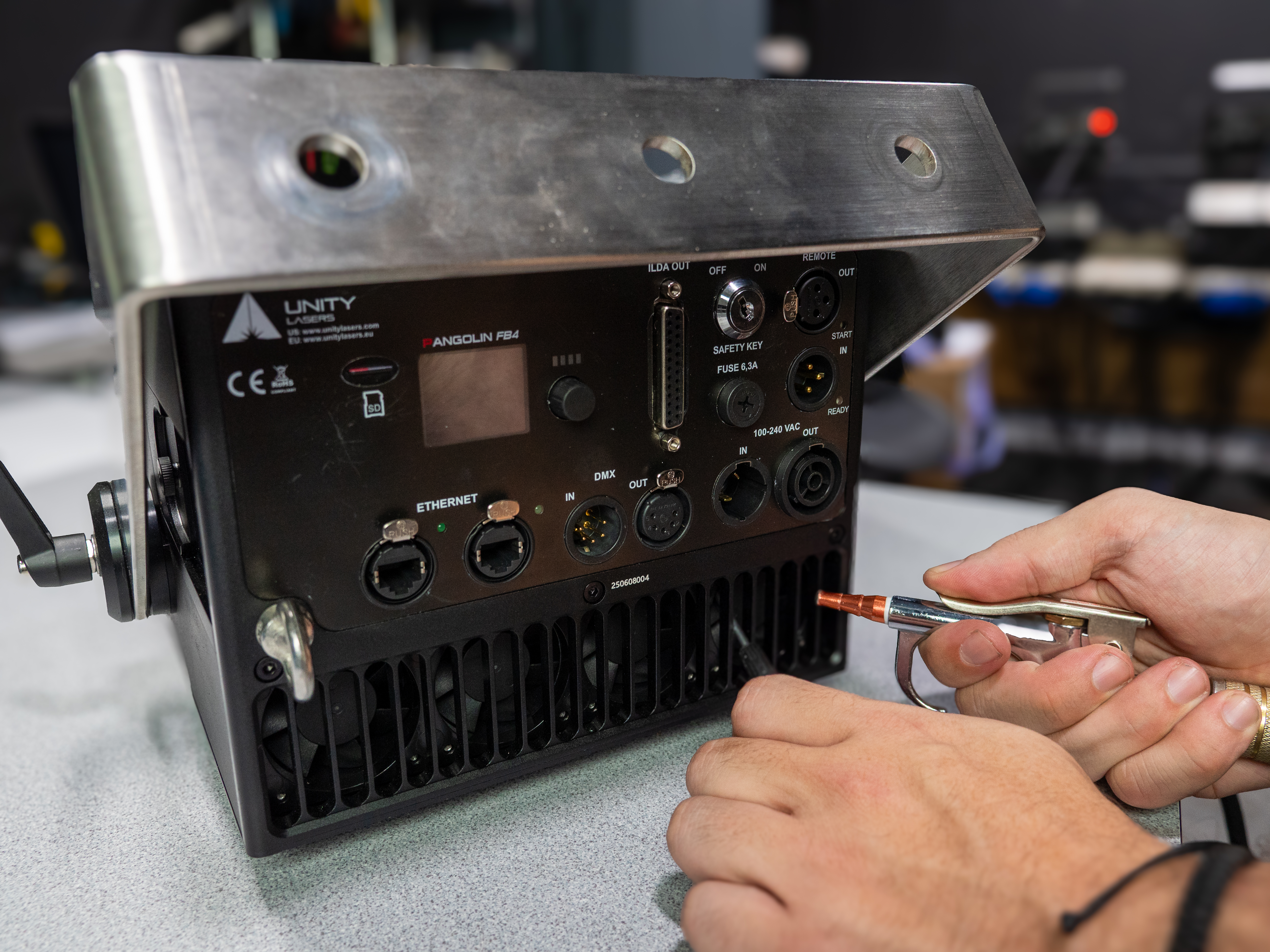
Dust Fans
(Tools- Compressed Air, Long Stick, Brush)
Inspect the Heat Sink Section of your laser projector, specifically the fan block, for any dust or debris. If you do see anything inhibiting the fan performance, jam the fan blades with a long stick or something, so that you do not overspeed the fan motors. Then, blow into the fan section with compressed air to remove the blockage.
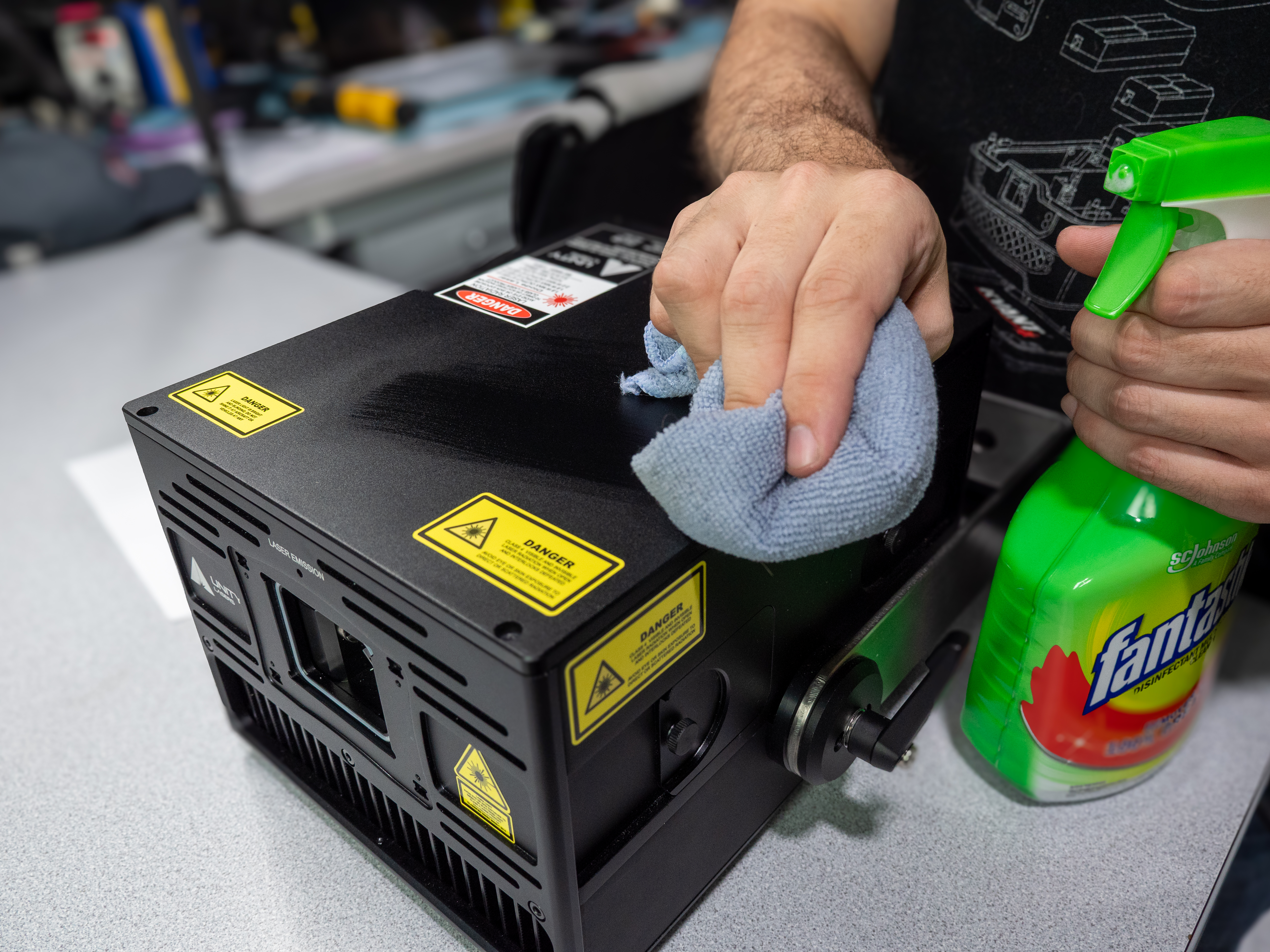
Clean Housing Panels
(Tools- Microfiber Cloth, Cleaning/Degreaser Spray)
Inspect the exterior housing panels, and use a dry microfiber cloth to remove any dust or debris. If necessary, you can dampen the cloth with water or a mild degreaser to remove difficult grime. Be careful around any labels and the control panel, so as not to damage them.
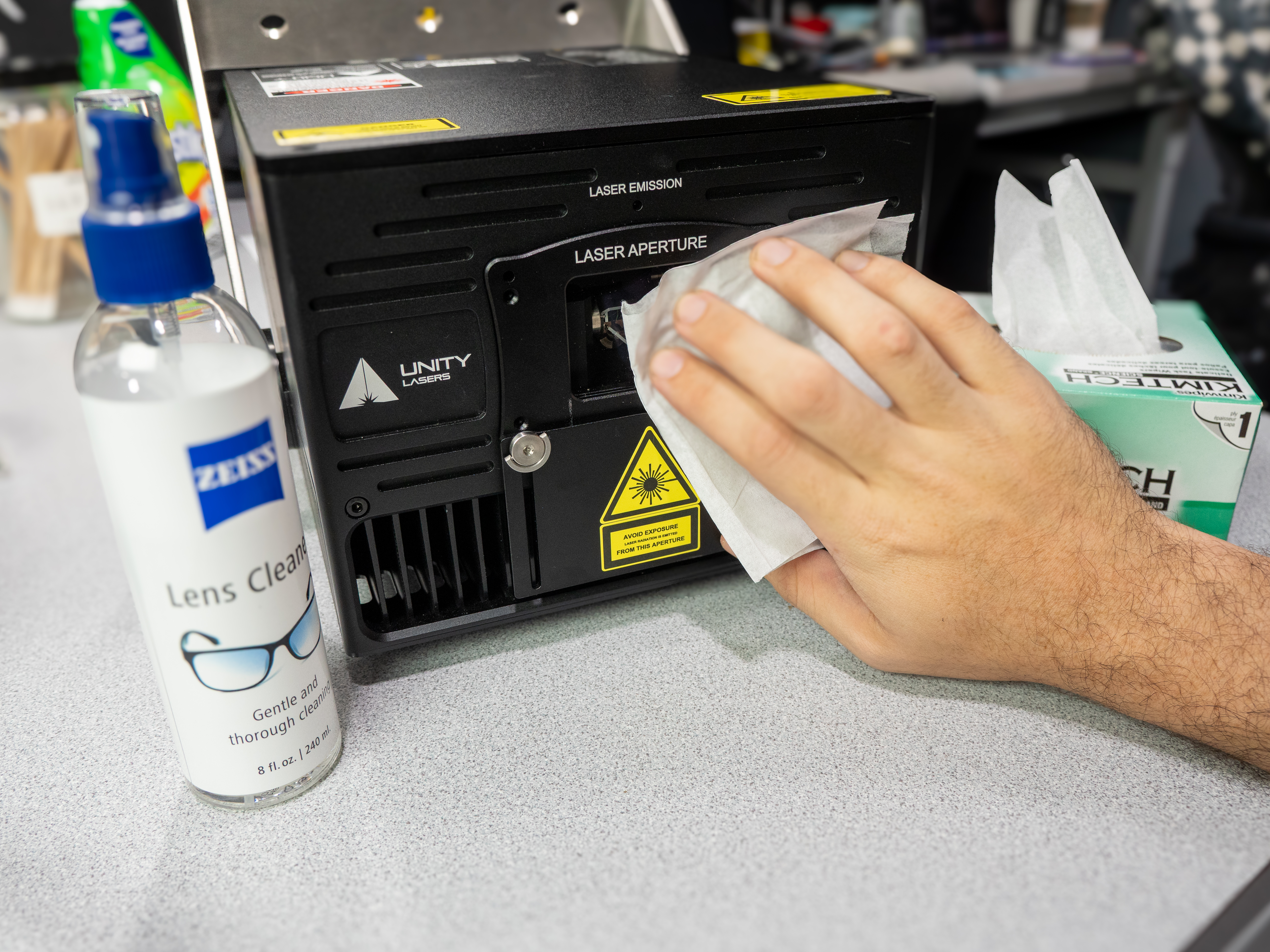
Clean Aperture Window
(Tools- Delicate Task Wiper, Lens Cleaner)
Open the aperture mask and inspect the aperture window. Use a flashlight or other light source to look for any stains on the window. Remove any dust or stains by gently wiping with a lint-free disposable wipe sprayed with lens cleaner. Move in circular motions, pushing any grime to the outside edges of the aperture window. Be sure not to apply too much pressure, as this could harm the anti-reflective coating.
Inspect Color Convergence / Dichro Alignment
Using a test pattern, look for any misalignment between the colors (Red/Green/Blue/Other). If you do notice misalignment, refer to our guide on aligning Color Convergence.
B Check
Standard Maintenance - Technician - 15-60 mins - Shop
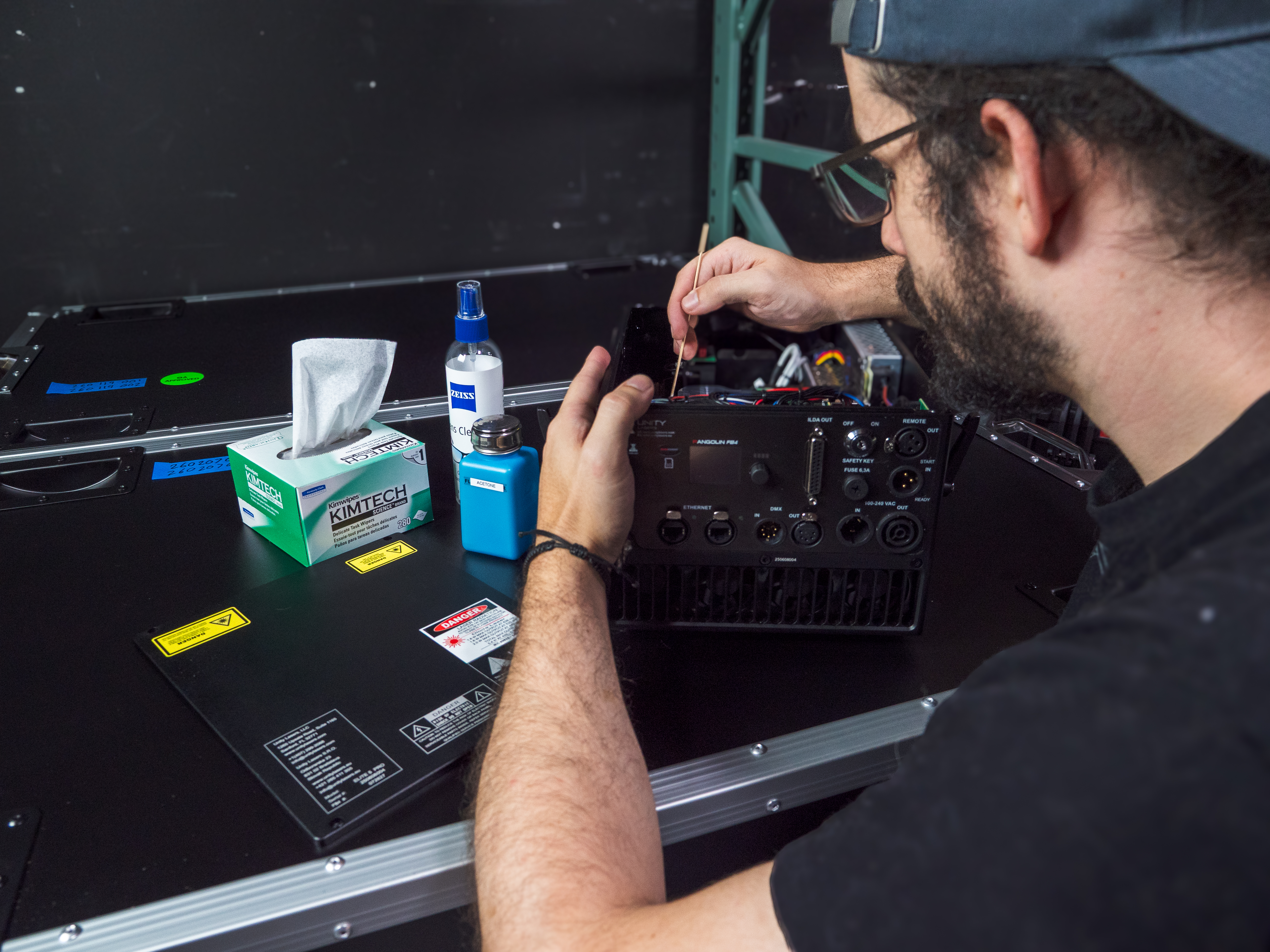
This Check is the most important for ensuring longevity in your projector, especially for non-IP rated units, units that travel a lot, and units that perform in harsh conditions. This Check should be performed in workshop conditions by someone who has technical knowledge and steady hands. The steps of an A Check should be performed first, then the following steps:
Dust PSU Compartment
(Tools- Compressed Air, Brush)
If your unit has a separate PSU/driver compartment, with the unit off, open the compartment and blow out any dust or debris. Difficult debris can be removed with a brush.
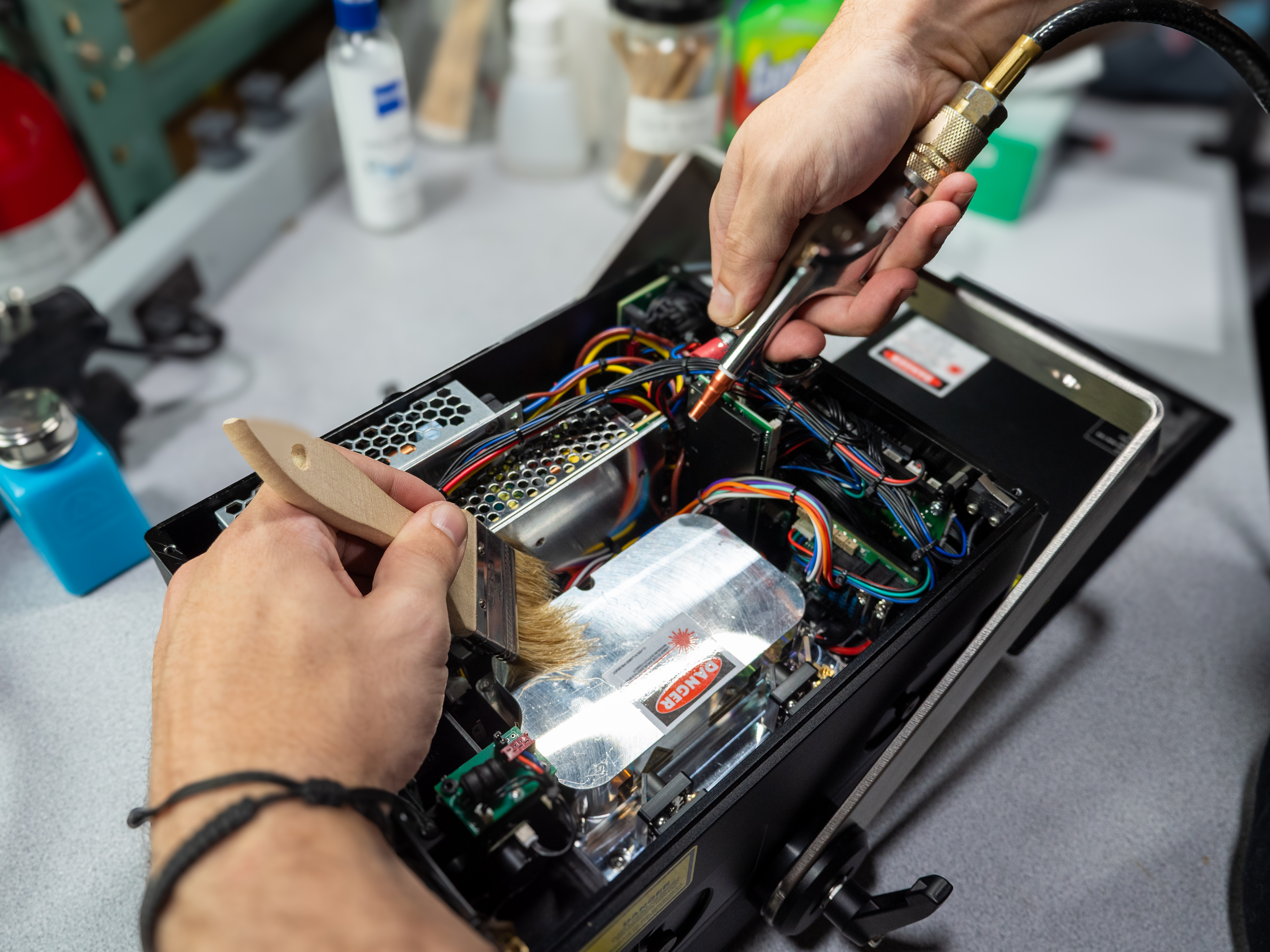
Dust Optics Compartment
(Tools- Compressed Air, Brush)
With the unit off, open the compartment and blow out any dust or debris. Difficult debris can be removed with a brush. Be careful around optics, especially the scanner system. Try not to blow any dust towards the optical train.
Clean Beam Train Optics
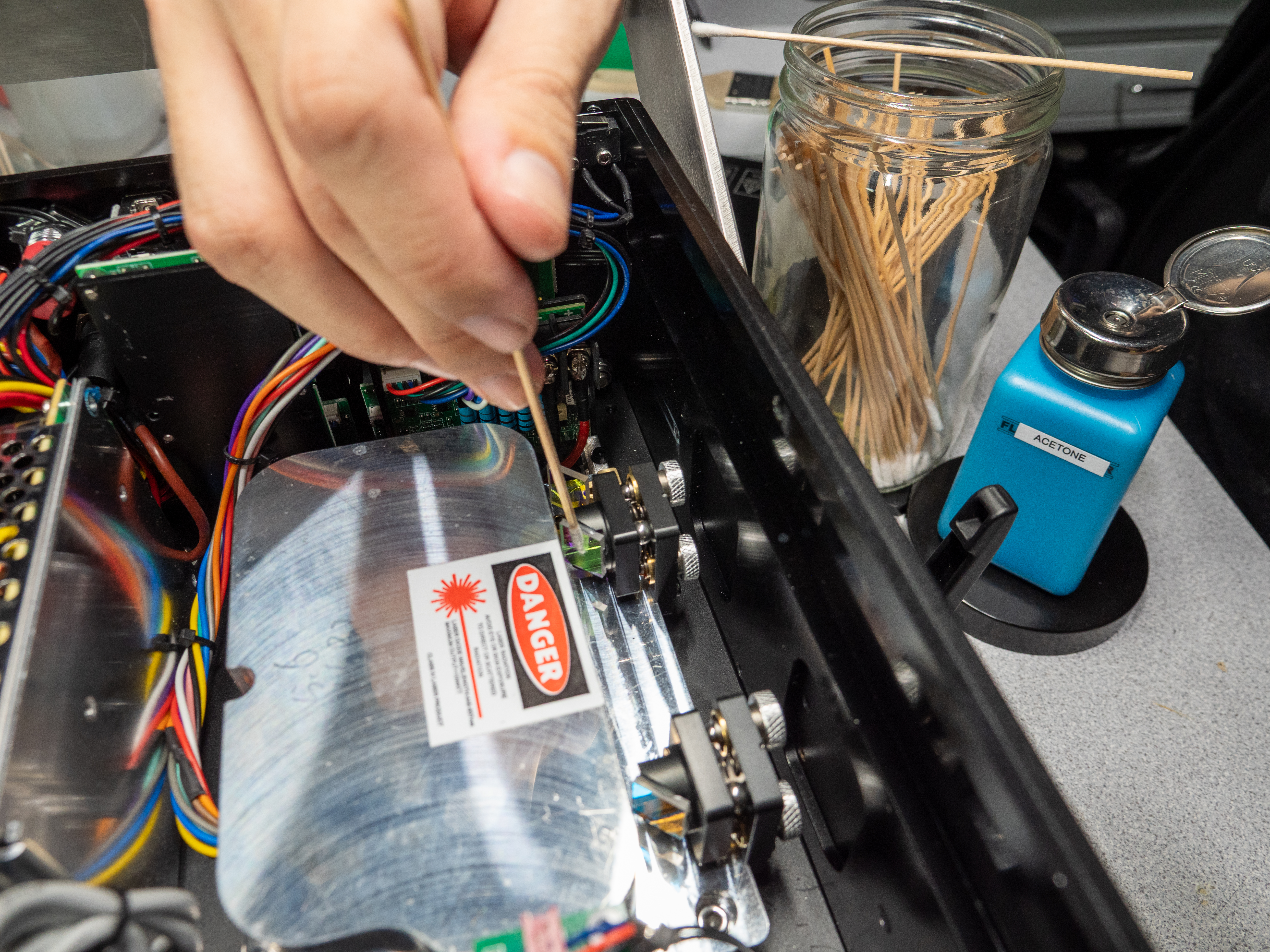
(Tools- glue-free cotton swabs, acetone)
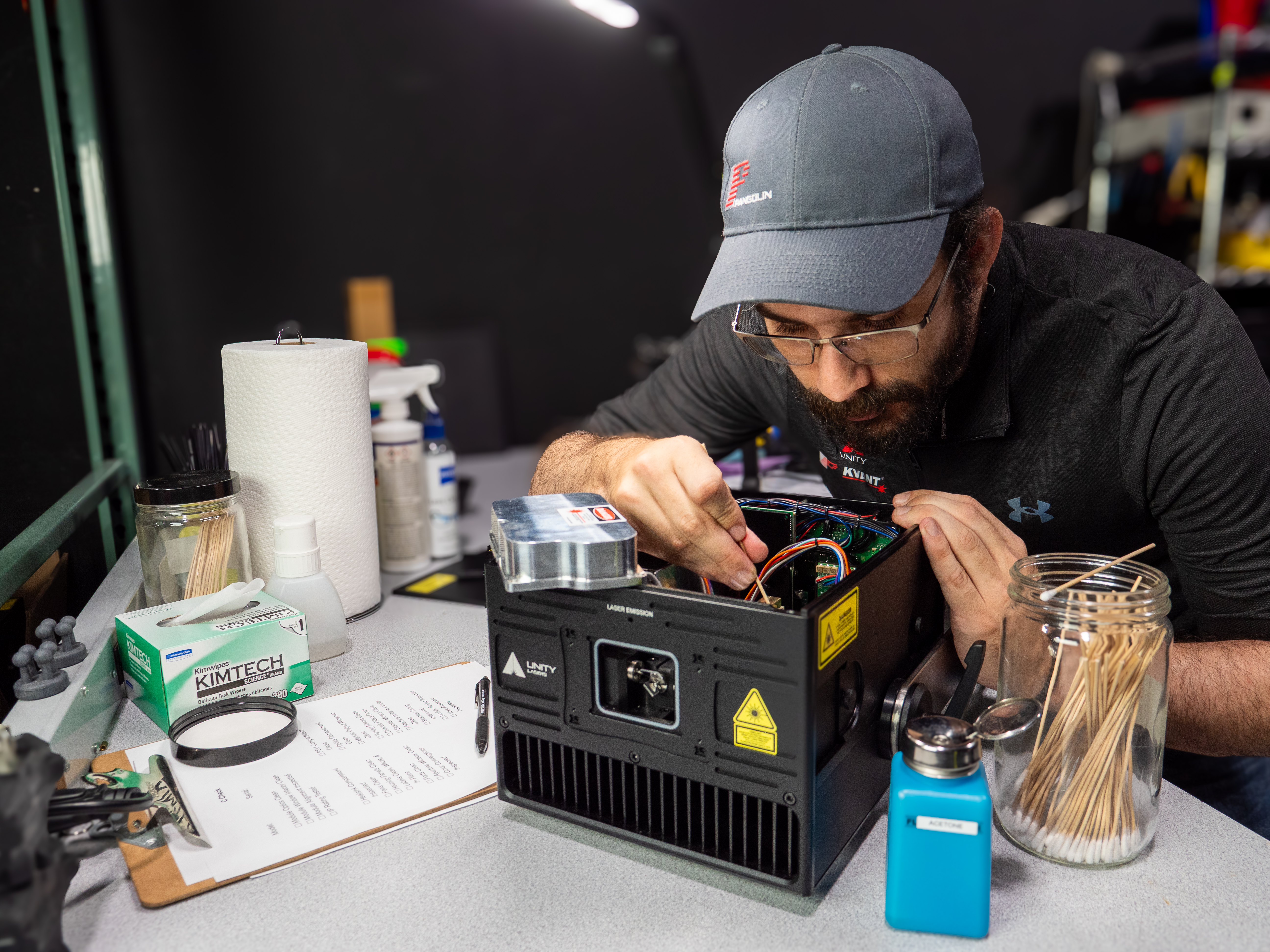
With the unit on, project a static, white beam at the lowest power possible that still produces laser output. This will allow you to see where the laser beam is encountering obstructions in the optical train (the optic will produce a bright light where the beam hits). Wet the swab with acetone, then while wiping the optic, roll the swab against the direction that you are wiping the optic, so that the debris is picked up and pulled away from the surface of the optic. You will want to inspect and clean the output window(s) of the laser module(s), any turning mirrors, and both sides of each dichroic filter.
Clean Scanner Mirrors
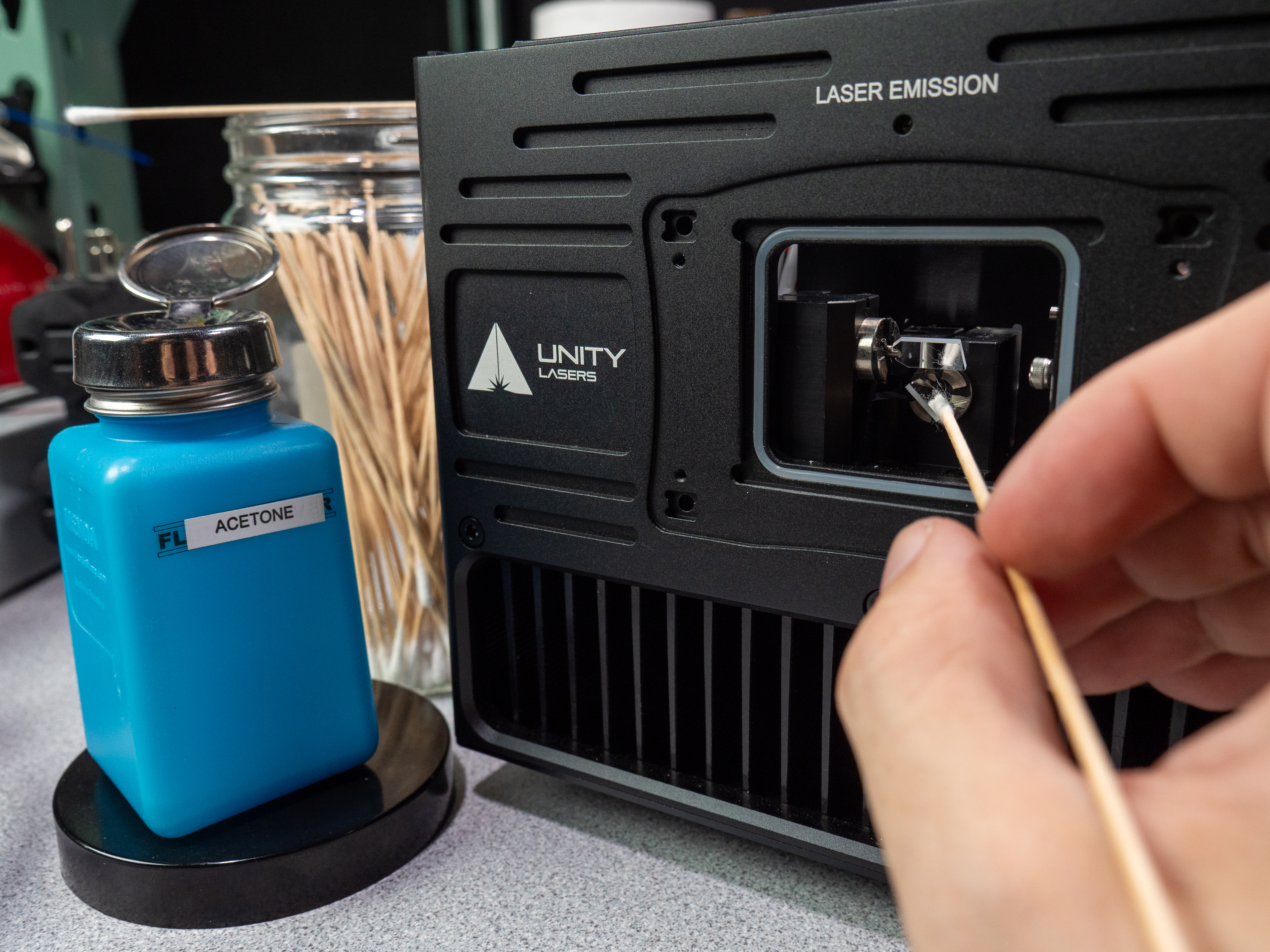
(Tools- glue-free cotton swabs, acetone)
With the unit on, project a static, white beam at the lowest power possible that still produces laser output. Make sure to only ever clean the scanner mirrors while the unit is powered but not projecting, or while it is projecting a static beam. This locks the scanner mirrors in position and allows them to be touched. You must still be very careful when interacting with the scanner mirrors, as they are fragile. Wet the swab with acetone, then while wiping the mirror, roll the swab against the direction that you are wiping the mirror, so that the debris is picked up and pulled away from the surface of the mirror. Be careful not to get any acetone near the adhesive holding the mirrors to the shaft. In some units, it may be necessary to remove the aperture window to access the scanner mirrors properly. This can also be a good time to clean the inside of the aperture window, using the same method described for the exterior side.
Inspect Scanner Tuning
Using the ILDA test pattern at max size 20, the Laser Media test pattern at max size 40, and the Grid test pattern at max size 40, inspect for issues with your scanning output. If you do see issues, please contact us at support@pangolin.com
Inspect Module Tuning
Using the Color Test test pattern at max size 20, inspect for issues with your laser module’s tuning by decreasing and increasing the power. If you do see issues, please contact us at support@pangolin.com
Inspect Yoke Assembly
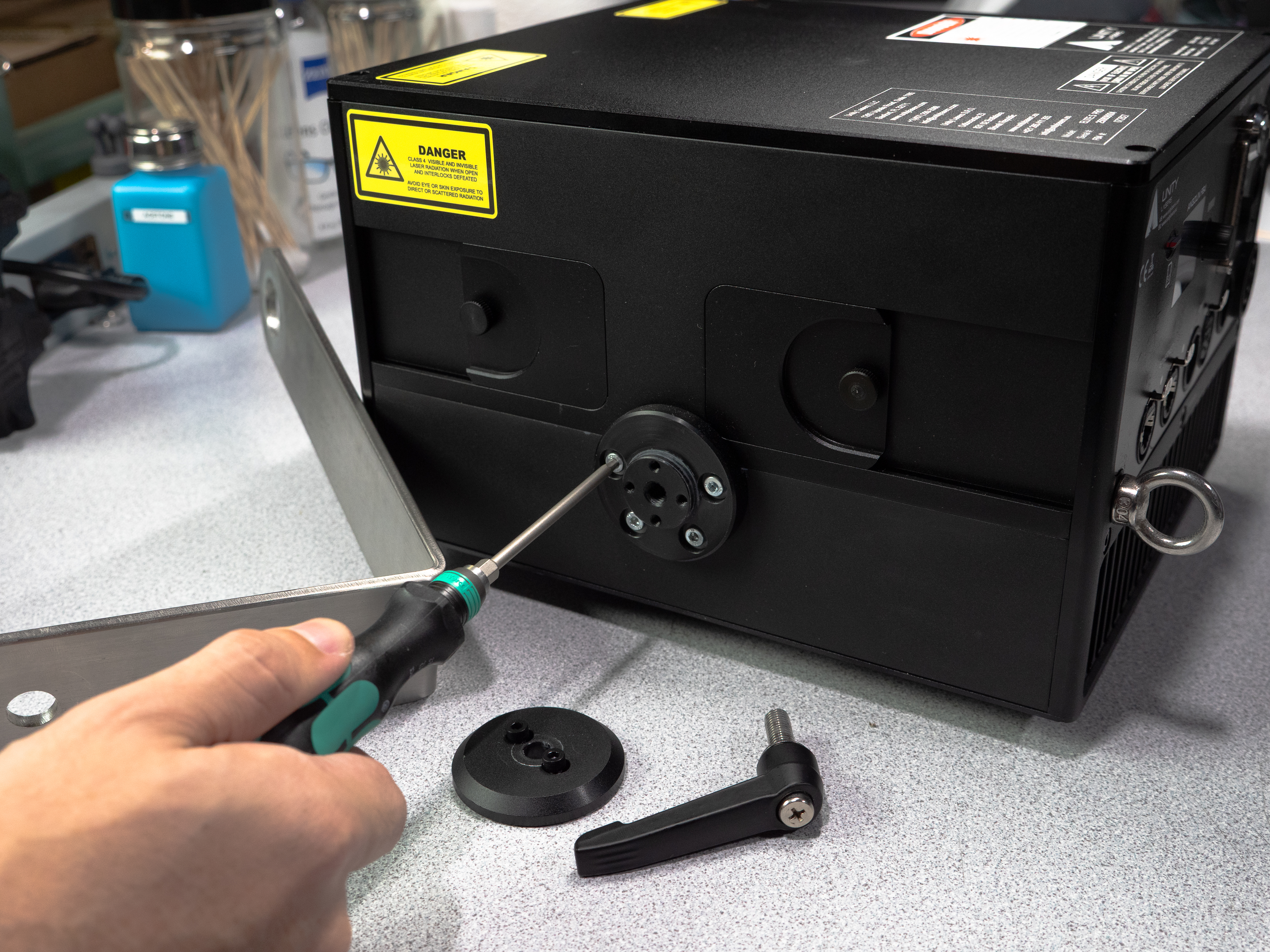
Tighten the two bolts holding the yoke in place as hard as they can go by hand, then attempt to move the yoke. If it is still able to be moved, even small amounts, disassemble the yoke mounts and tighten the inner bolts. Also, inspect all of the yoke hardware to ensure it is still in good condition.
C Check
Service Overhaul - Service Technician - 30-120 mins - Lab
This Check is the most intensive that a projector should receive under normal use. It should be performed in clean, dry conditions as the laser module internals are very sensitive to dust and moisture. Laser projectors can also be sent in to our repair facility to have this Check performed. The steps of an A Check and a B Check should be followed first, then perform the following steps:
Clean Module Optics
(Tools- glue-free cotton swabs, high-quality acetone)
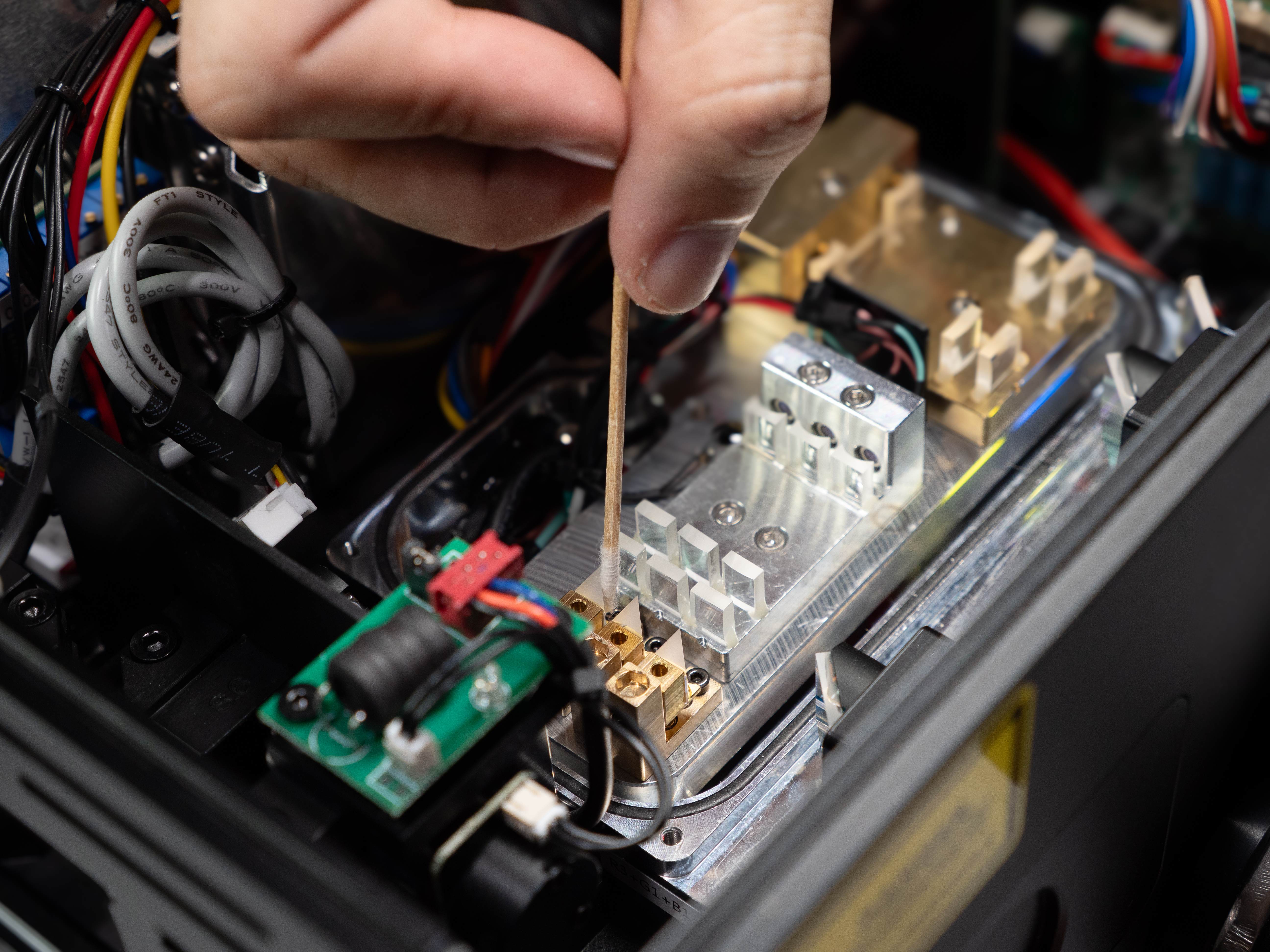
Refer to our guide on aligning laser modules for instructions on how to remove the lid of the laser module. With the unit on, project a static beam at the lowest power possible that still produces laser output from each diode. Only output one color at a time, to limit eye fatigue and possible dangers. Inspect any shaping optics, knife-edge mirrors, and combining optics for debris. Wet the swab with acetone, making sure to remove any excess, then while wiping the optic, roll the swab against the direction that you are wiping the optic, so that the debris is picked up and pulled away from the surface of the optic. Only clean as needed, as unnecessary contact with the optics could cause damage or misalignment. You may also want to inspect and clean the inside of the laser module’s output window(s) at this time.
Check Module Alignment
Using a monocolor static beam, look for splitting in the individual colors (Red/Green/Blue/Other). If you do notice misalignment, refer to our guide on Module Alignment.
Test IP Port
If the unit is IP-rated, it may be equipped with a Gore Valve. This valve can be connected to a testing device, or vacuum pump, to verify the integrity of the IP rating.
Test Power Output
If you have a laser power meter, now is a good time to test the power output of the combined white color, as well as the individual colors, and record them in order to watch for degradation in the unit's power output.
D Check
Repair/Retrofit - Repair Technician - 1-5+ hrs - Repair Facility
In the event of component malfunction, damage, or degradation due to age, most laser projectors can be repaired or retrofitted with new components at a repair facility. Only individuals trained specifically for repairing laser projectors should complete these tasks. To send a unit into our repair facility, reach out to us at support@pangolin.com. If you would like to receive repair training in your specific model of laser projector, reach out to us at adam@pangolin.com to schedule a training.