
beyond:write_out_effect_editor
Table of Contents
Write out Effect Editor
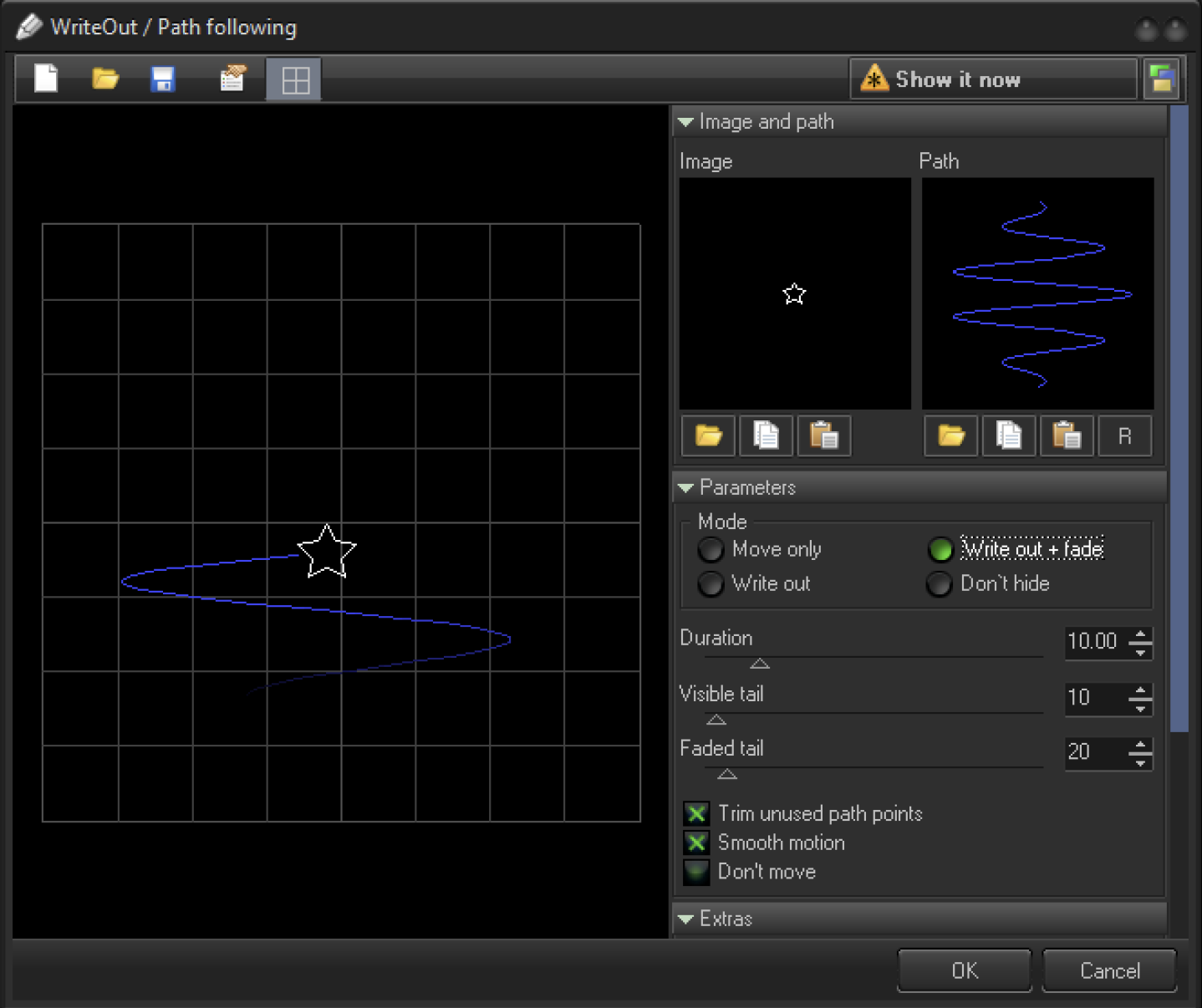
A Write Out Object is based on two main elements. The first is the Image that creates the Write Out Path. The second is the Path itself. The Path is just a Static Frame.
The Image section has 3 standard buttons that allows you to choose an Image - Open, Copy, and Paste. The Path section has the same buttons plus button R. Button R reverses the Point Order of the Path.
Parameters
- Move Only - moves the Image by the Path and does not display the Path.
- Write Out - moves the Image, and displays the Path.
- Write Out + Fade - moves the Image, writes out the Path, and fades out the Path (this mode is shown on screenshot)
- Don't hide - moves the Image, always shows a Path.
- Duration - the duration of the Image Motion from the beginning to the ending of the Path.
- Visible Tail - the number of Points in the Path that are completely visible.
- Faded Tail - number of Points in the Path that Fade Out to zero.
- Trim Unused Path Points - removes invisible Points in the Path (tail).
- Smooth Motion - uses interpolation between the Points for the Image Motion. Otherwise, the Image will jump from Point to Point.
- Don’t Move - the Image stays static, but all the actions related to the path work. Currently BEYOND has various ways of getting the same result.
Extras
- Z Rotation - allows the rotation of the Image, depending on Path Direction.
- Color Action - allows re-coloring of the Image according to the Path color, or changes the Brightness of the Image depending on the Path.
beyond/write_out_effect_editor.txt · Last modified: by Bob Varkevisser